


Best Real Estate Lightroom Presets in 2026 — The Complete Guide
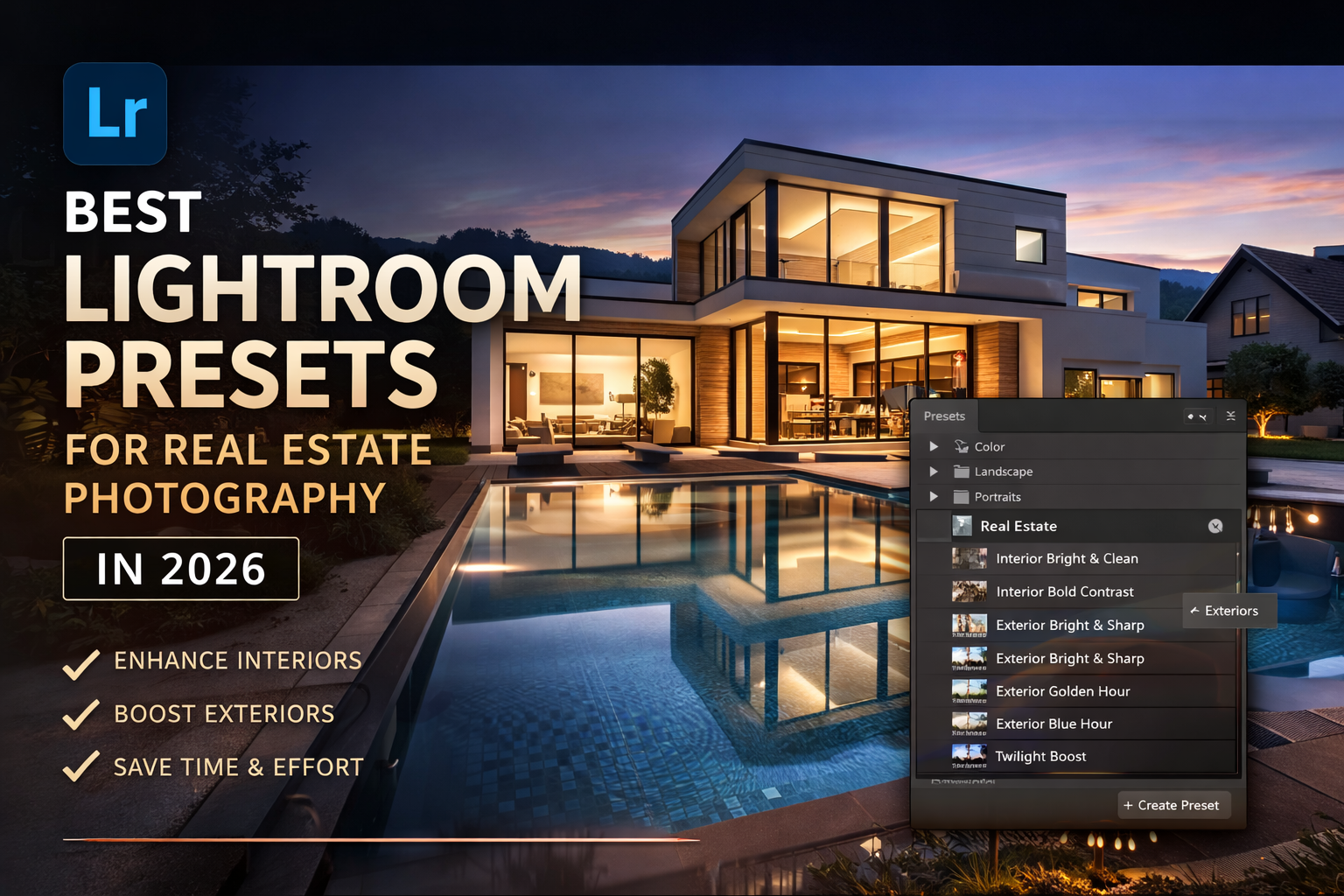
Stop spending hours editing property photos manually. The right real estate Lightroom presets can transform a dull, flat image into a bright, inviting listing photo — in a single click. In this guide, we cover everything you need to know about choosing and using the best real estate presets in 2026.
- Why Real Estate Photographers Need Lightroom Presets
- What to Look for in Real Estate Lightroom Presets
- Best Real Estate Lightroom Presets in 2026
- The 5 Essential Preset Styles for Property Photography
- How to Use Real Estate Presets in Lightroom
- Pro Tips for Getting Perfect Real Estate Photos
- Frequently Asked Questions
- Conclusion
Why Real Estate Photographers Need Lightroom Presets
Real estate photography is one of the most time-sensitive niches in professional photography. After a shoot, you may return home with 80 to 300 images that need to be edited, exported, and delivered — sometimes within 24 hours. Without a streamlined editing workflow, this is nearly impossible to do at a consistently high quality.
This is exactly where real estate Lightroom presets become indispensable. Instead of manually adjusting exposure, white balance, contrast, and clarity for every single image, a well-designed preset applies all of those corrections simultaneously — with one click.
📊 Did you know? According to the National Association of Realtors, listings with professional-quality photos receive 61% more views and sell faster than listings with average photos. Consistent, bright, and well-edited images are no longer optional in today’s competitive market — they are a basic expectation from every real estate agent and home seller.
Beyond speed, Lightroom presets also provide visual consistency across an entire property shoot. Whether you’re editing 10 interior shots or 40 exterior photos from the same listing, using the same preset ensures every image carries a unified look — which is essential for professional delivery and your personal brand as a photographer.
The benefits are clear: faster editing, consistent results, and a more professional final product. The only question is — which presets should you use?
What to Look for in Real Estate Lightroom Presets
Not all Lightroom presets are created equal. A portrait preset might look stunning on skin tones but completely blow out the bright windows in a living room photo. Before investing in a preset pack, here are the key qualities to evaluate:
Exposure Control
Good real estate presets gently lift shadows and recover highlights without making images look artificial or HDR-overdone.
Neutral Color Balance
Interior photos are affected by mixed lighting — tungsten, daylight, LED. The best presets correct this without color casts.
Clarity & Detail
Buyers want to see every detail — tile textures, cabinet finishes, flooring material. Presets should enhance micro-contrast, not flatten it.
Interior vs. Exterior Versions
A quality real estate pack should include separate presets tuned for indoor and outdoor conditions — they require very different adjustments.
One-Click Simplicity
Presets designed for real estate workflows must work as starting points that require minimal tweaking — time is money in this niche.
XMP Format Compatibility
Make sure the preset pack uses .XMP format, which works with Lightroom Classic and Lightroom CC on desktop.
When a preset pack checks all of these boxes, it becomes a true professional tool rather than just a visual filter. That’s exactly the standard the Camegraphy Real Estate Lightroom Preset Pack was designed to meet.
Best Real Estate Lightroom Presets in 2026
After reviewing dozens of preset packs available in 2026, one collection consistently stands out for real estate photographers at every level:
⭐ Editor’s Pick: 100 Real Estate Desktop Lightroom Presets by Camegraphy
This pack was built specifically for real estate photography — not adapted from portrait or travel presets. It includes 100 professionally crafted presets in .XMP format, covering every scenario a real estate photographer encounters: bright interiors, dark rooms, sunny exteriors, twilight shots, and HDR-style edits.
- 100 presets in a single download — interiors, exteriors, HDR, and more
- Designed specifically for Adobe Lightroom Classic and Lightroom CC (Desktop)
- One-click application with optional fine-tuning
- Covers: Bright & Airy, Warm Tones, Cool Modern, Natural HDR, and more
- Instant digital download — no waiting, start editing today
- Compatible with RAW and JPEG files
- Rated 5/5 by verified buyers
Price: $5.49 $6.99 — Download now →
How Does It Compare?
| Feature | Camegraphy Pack | Generic Preset Packs | Free Presets |
|---|---|---|---|
| Real estate optimized | ✓ Yes | ✗ Often not | ✗ Rarely |
| Interior presets included | ✓ Yes | Sometimes | ✗ Limited |
| Exterior presets included | ✓ Yes | Sometimes | ✗ Rare |
| HDR-ready styles | ✓ Yes | ✗ Usually no | ✗ No |
| Number of presets | 100 | Varies (10–50) | 5–15 |
| XMP format (Desktop) | ✓ Yes | Usually | Sometimes |
| Instant download | ✓ Yes | Yes | ✗ No |
| Verified buyer reviews | ✓ 5/5 stars | Varies | ✗ None |
The 5 Essential Preset Styles for Property Photography
Professional real estate preset packs aren’t a single “one size fits all” look. The best packs — including the Camegraphy collection — include multiple distinct styles to match different property types and lighting conditions. Here are the five styles every real estate photographer needs:
1. Bright & Airy
The most requested style in residential real estate. This look lifts shadows, opens up midtones, reduces warm casts, and creates a clean, spacious feel. It works exceptionally well in living rooms, kitchens, and bedrooms — especially homes with white or neutral walls. Buyers associate this look with freshness and move-in readiness.
2. Warm & Inviting
Ideal for evening shots, staged living rooms with warm lighting, or luxury homes where the goal is to convey comfort and lifestyle. This style uses amber and golden tones to add emotional warmth without looking artificially yellow or orange.
3. Cool & Modern
Perfect for contemporary homes, condos, commercial spaces, and properties with stainless steel appliances, concrete floors, or minimalist design. Cool presets add a sleek, editorial quality that appeals to high-end buyers and developers.
4. Natural HDR
One of the most technically useful styles for interior real estate photography. HDR-style presets blend shadow recovery with highlight control to handle the difficult challenge of window views — keeping both the room detail and the outdoor view visible in the same frame. This is the look clients request most often.
5. Twilight & Blue Hour
Exterior twilight photography is one of the highest-value deliverables a real estate photographer can offer. Blue hour presets enhance the drama of illuminated windows against a deep blue sky — a look that commands higher listing prices and generates significantly more buyer interest on listing websites.
💡 Pro Tip: Always shoot exteriors at golden hour (one hour after sunrise or before sunset) or blue hour (20–30 minutes after sunset) for the most visually compelling results. Even the best preset cannot fully fix a mid-day, harsh-sunlight exterior shot.
Get All 100 Real Estate Presets — Instant Download
Start editing professional property photos today. Bright & Airy, Warm, Cool Modern, HDR & more — all in one pack.
Download the Preset Pack → $5.49 · Instant Digital Download · Works with Lightroom Classic & CCHow to Use Real Estate Lightroom Presets (Step by Step)
If you’re new to using presets in Lightroom, don’t worry — the process takes less than five minutes and you only need to do it once. After importing, applying any preset is as simple as a single click.
- Purchase and download the preset pack. You’ll receive a ZIP file with all 100 .XMP preset files inside.
- Unzip the file using your system’s built-in extractor (Windows: right-click → Extract All / Mac: double-click).
- Open Adobe Lightroom Classic and go to the Develop module. In the left panel, scroll down to Presets.
- Click the + icon next to “Presets” and select Import Presets. Navigate to your extracted folder and select all .XMP files.
- Open your first photo in the Develop module. Scroll to the imported presets in the left panel and hover over each one to preview it on your photo.
- Click your chosen preset to apply it. Make minor tweaks to Exposure, Highlights, or Shadows if needed to fit your specific image.
- To apply the same preset to multiple photos, select all similar images in the filmstrip and use Sync Settings to batch-apply in seconds.
📌 Important Note: These presets are designed for Adobe Lightroom Desktop (Classic and CC). They are NOT natively compatible with Lightroom Mobile unless you sync your desktop presets through Adobe Creative Cloud. For best results, always shoot in RAW format — this gives Lightroom the maximum data to work with when applying presets.
Lightroom Classic vs. Lightroom CC — Which Should You Use?
For real estate photography professionals, Lightroom Classic is the recommended choice. It offers a catalog-based system ideal for managing large volumes of property shoot images, more powerful batch editing tools, and full support for .XMP presets. Lightroom CC (the cloud-based version) also works with these presets but is better suited for occasional use and mobile backup workflows.
Pro Tips for Getting Perfect Real Estate Photos
Even the best Lightroom presets won’t fully compensate for poor shooting technique. Here are the professional practices that will maximize the impact of your presets:
Always Shoot in RAW
RAW files contain significantly more image data than JPEGs — especially in highlights and shadows. This means your real estate presets will have more latitude to work with, resulting in smoother tonal adjustments and more natural-looking results. Most modern cameras and even newer smartphones can shoot in RAW or RAW+JPEG mode.
Use a Tripod for Every Interior Shot
Interior real estate photography often requires slower shutter speeds to expose correctly without raising ISO too high. A tripod eliminates camera shake, keeps your compositions level, and allows you to use exposure bracketing for HDR-blending workflows. This is non-negotiable for professional results.
Turn On All the Lights
Before photographing any room, turn on every light source — ceiling lights, lamps, under-cabinet lighting. This reduces the contrast between illuminated and dark areas, making your presets much more effective. Replace any burnt-out bulbs with matching color temperature bulbs before the shoot.
Correct White Balance Before Applying Presets
Real estate interiors often have mixed lighting — a warm tungsten lamp next to a cool daylight window. Set your camera’s white balance to Auto (AWB) or correct it manually in Lightroom before applying your preset. Starting with a neutral white balance ensures the preset performs as intended.
Use Vertical and Horizontal Corrections
Lightroom’s Geometry panel (Transform section) allows you to correct converging vertical lines — a common issue with wide-angle lenses in real estate. Always apply vertical correction after your preset to keep walls looking straight and compositions architecturally correct.
Batch Edit Similar Shots Together
Real estate photographers deal with volume. Group your images by room or shooting condition (all kitchen shots, all exterior shots, etc.) and apply the same preset to each group. Then use Lightroom’s Sync Settings feature to batch-apply any fine-tuning adjustments across the entire group at once.
⚡ Workflow Efficiency Tip: The most efficient real estate editing workflows use a two-pass system. In Pass 1, apply your preset to all images. In Pass 2, go through each image and make minor adjustments only where needed. This approach is 3–4x faster than editing every image individually from scratch.
Frequently Asked Questions
What are real estate Lightroom presets?
Real estate Lightroom presets are pre-configured editing settings saved as .XMP files that can be applied to property photos in Adobe Lightroom with a single click. They automatically adjust exposure, color balance, contrast, clarity, and other parameters to produce bright, clean, and professional-looking real estate images.
Are these presets compatible with Lightroom Classic and Lightroom CC?
Yes. The Camegraphy Real Estate Lightroom Presets are provided in .XMP format and are compatible with both Adobe Lightroom Classic and Lightroom CC (Desktop). Note that they are not natively compatible with Lightroom Mobile without syncing through Adobe Creative Cloud.
Do I need experience with Lightroom to use these presets?
No. These presets are designed to work with a single click and require no advanced Lightroom knowledge. They are suitable for both beginners and experienced photographers. After applying the preset, you may optionally fine-tune exposure or white balance to match your specific image.
Do these presets work with JPEG photos or only RAW?
These presets work with both RAW and JPEG files in Lightroom. However, RAW files offer significantly more editing flexibility — especially in recovering blown highlights and lifting shadows — so RAW is strongly recommended for the best results with these real estate presets.
How do I download and install the presets after purchase?
After completing your purchase at Camegraphy, you’ll receive an instant download link to a ZIP file containing all 100 real estate presets in .XMP format. Unzip the file, open Lightroom, go to the Develop module, click the + icon next to “Presets,” and select “Import Presets.” Navigate to your unzipped folder, select all .XMP files, and click Import. The presets will appear in your Presets panel immediately.
Can I use these presets for commercial real estate photography, not just residential?
Yes. The preset pack includes styles suited for both residential properties (homes, apartments) and commercial spaces (offices, retail, industrial). The Cool Modern and Natural HDR styles are particularly effective for commercial real estate photography.
What’s the best Lightroom preset for real estate interior photography?
For most interior real estate shots, the Bright & Airy style delivers the most universally appealing result — lifting shadows, opening up rooms, and creating a clean, welcoming atmosphere. For darker or more dramatic spaces, the Warm & Inviting or Natural HDR presets often produce better results.
Ready to Elevate Your Real Estate Photography?
100 professional presets. One-click editing. Instant download. Used by photographers across North America.
Get the Preset Pack — $5.49 ⭐⭐⭐⭐⭐ Rated 5/5 by verified buyers · Instant Download · Lightroom Classic & CCConclusion
In 2026, real estate photographers who want to stay competitive — and profitable — need to work faster without sacrificing quality. The right real estate Lightroom presets are not a shortcut: they are a professional tool that the best photographers in the industry rely on every single day.
The 100 Real Estate Desktop Lightroom Presets by Camegraphy cover every scenario you’ll encounter on the job — bright interiors, challenging mixed lighting, golden hour exteriors, and HDR-ready architectural shots. At $5.49, this is one of the highest-value investments you can make in your real estate photography workflow.
Download your copy today and start delivering results that impress agents, sell properties faster, and build your reputation as a professional photographer who consistently delivers.
Looking for more editing tools? Explore the full Camegraphy Shop for Lightroom presets, Photoshop actions, LUTs, and more — everything a professional photographer needs in one place.