


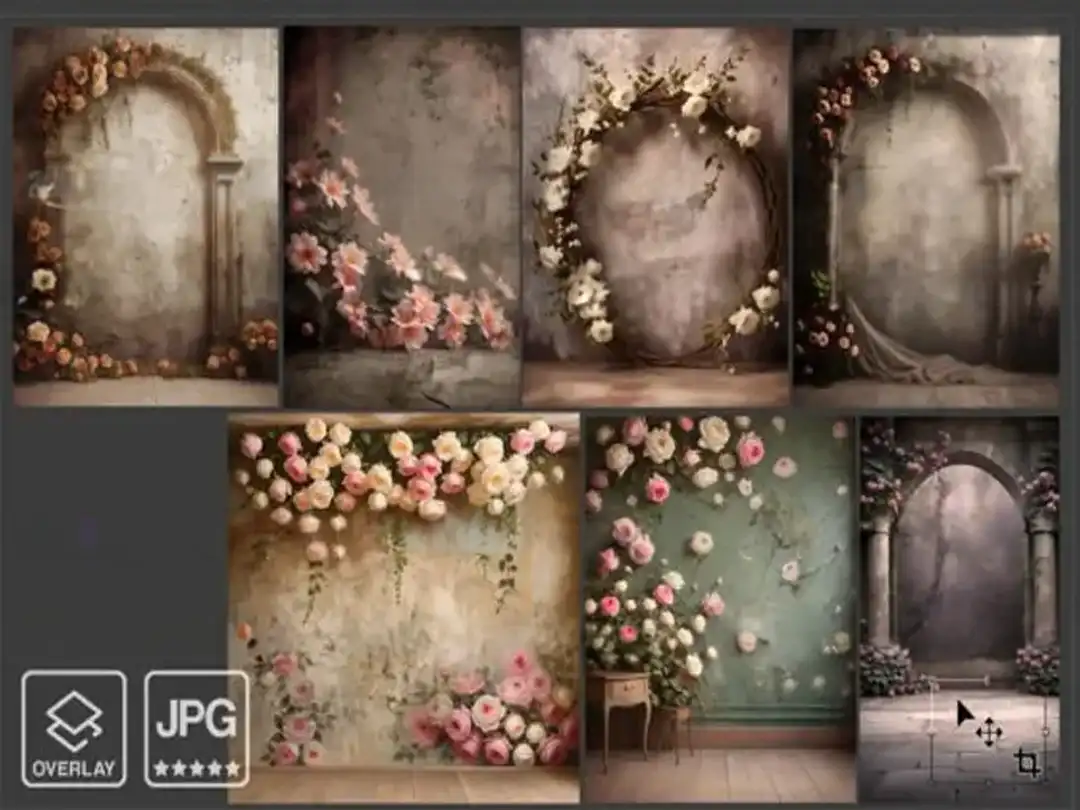
Best Floral Digital Backdrop Collection for Photoshop & Portrait Photography
Best Floral Digital Backdrop Collection for Photoshop & Portrait Photography
Transform your creative projects with the Best these backgrounds
Collection — a premium set of high-resolution backgrounds designed for
photographers and graphic designers.
📋 Table of Contents
Who Is This Floral Digital Backdrop For?
This premium floral digital backdrop collection is designed for creative
professionals who want to save time while achieving stunning results:
🌸 Portrait photographers — newborn, maternity, children & wedding sessions
🎨 Graphic designers — posters, invitations & social media content
📸 Content creators and lifestyle bloggers
🖼️ Photo editors working on composite and layered images
Whether you’re a beginner just starting with digital compositing or an
experienced professional with years of Photoshop editing experience,
this backdrop pack gives you the tools to create
beautiful, polished images every single time.
Key Features of This Floral Digital Backdrop Pack
✅ High-resolution floral digital backdrop files (print & web ready)
✅ Soft, studio-quality lighting for seamless blending
✅ Multiple color styles — soft pastels, vibrant blooms, dark botanicals
✅ Professionally balanced tones for natural compositing
✅ Compatible with Adobe Photoshop CC and Classic
✅ Works with any software supporting high-resolution JPEG/PNG
✅ Instant digital download — no waiting, no delays
✅ Perfect for beginners and advanced Photoshop users alike
How to Use Your Floral Digital Backdrop in Photoshop
Using a floral digital backdrop in Adobe Photoshop is simple and fast.
Follow these 5 easy steps to create stunning composite images:
1. Download and unzip your these floral files
2. Open Adobe Photoshop and load your subject photo
3. Place the backdrop on a layer behind your subject
4. Use the “Select Subject” tool with a layer mask to blend naturally
5. Adjust brightness, contrast, and blending mode to match your lighting
The full process takes under 10 minutes — even for first-time users.
You can also explore more of our
digital photography
resources to complete your editing toolkit.
Pro Tips for the Best Floral Digital Backdrop Results
Getting professional composite results with your floral digital backdrop
requires a few key techniques. Here are our top tips:
🔹 Always match the lighting direction of your subject with the backdrop
🔹 Shoot your subject against a plain white or grey wall for clean extraction
🔹 Use a slight Gaussian blur on the backdrop edges to simulate depth of field
🔹 Add a subtle drop shadow beneath your subject for added realism
🔹 Adjust the backdrop’s hue and saturation to complement your subject’s outfit
For advanced compositing tutorials, visit the official
Adobe Photoshop compositing guide —
it covers everything from basic masking to advanced blending techniques.
Compatible Software & File Formats
These 10 floral digital backdrop files are delivered in high-resolution
format and are fully compatible with:
– Adobe Photoshop CC and Classic (all versions)
– Affinity Photo
– GIMP (free alternative)
– Any software supporting high-resolution JPEG or PNG files
All files are delivered at print-quality resolution, ensuring crisp,
detailed results whether you’re creating digital artwork or printing
large-format portraits.
Instant Download Details
After completing your purchase, you will receive an instant download
link to a ZIP file containing all floral digital backdrop files in
high-resolution format. Simply unzip, open in Photoshop, and start
creating immediately — no installation required, no waiting.
📥 Instant Download | 10 High-Resolution Files | Adobe Photoshop Compatible
Bring elegance, color, and artistic depth to your photo editing and
graphic design projects with these beautifully crafted floral digital
backdrops — only $1.99!



Reviews
There are no reviews yet.